What the crew may do
Yes, Asks first and No, what always asks a person, and how a crew member earns the right to act on its own.
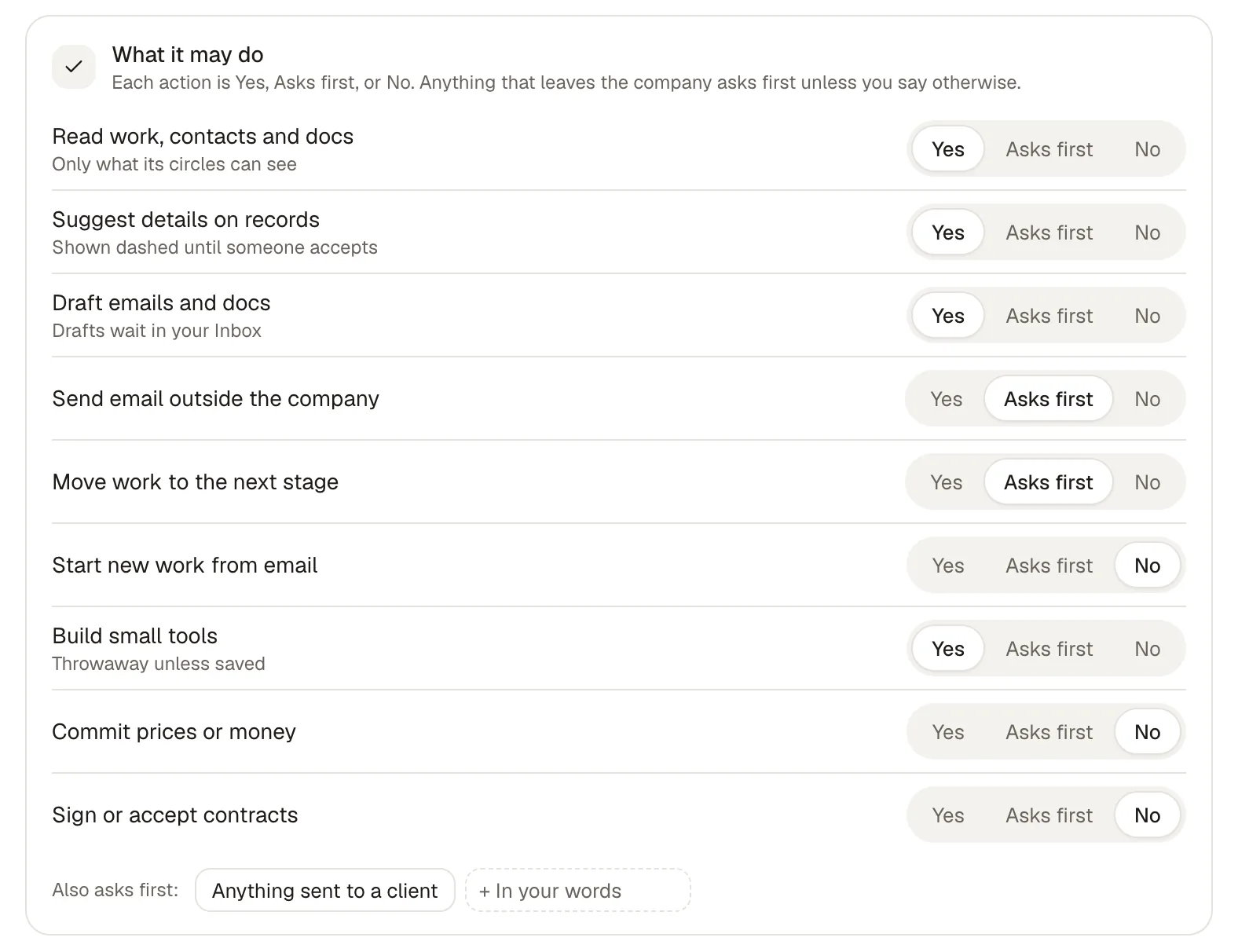
You decide what each crew member may do. Every action it can take has one of three levels:
| Level | What it means |
|---|---|
| Yes | It does this on its own. |
| Asks first | It prepares the action and waits for a person’s OK. |
| No | It never does this. |
The levels are checked on every action, every time.
The actions
Section titled “The actions”A crew member’s What it may do block lists each action with its level:
- Read work, contacts and docs (only what its circles can see)
- Suggest details on records (shown dashed until someone accepts)
- Draft emails and docs (drafts wait in your Inbox)
- Send email outside the company
- Move work to the next stage
- Start new work from email
- Build small tools (throwaway unless saved)
- Commit prices or money
- Sign or accept contracts
Under the list, Also asks first holds lines in your own words, like “Anything sent to a client” or “Any price over $50k”. Anything that leaves the company asks first unless you say otherwise.
What always asks
Section titled “What always asks”Some things always wait for a person, whatever a crew member’s levels say:
- sending anything outside your company
- spending money
- signing
- inviting people
- deleting
An owner can give standing approval for some of these, narrowed to a crew member, the kind of action, or particular people or domains, with an end date. Spending always asks, even then. Revoking a standing approval stops anything it covered that hasn’t gone out yet.
How an ask reaches you
Section titled “How an ask reaches you”When a crew member needs your OK, it shows in Needs you, on Home and in your Inbox, with the exact content it wants to send or do. What you approve is what goes out: if the content changes after you looked, it asks again. Some asks interrupt you; others wait in a digest. Crew connected from outside can never approve their own asks.
A crew member acting for someone can never do more than that person could. When you ask it for something, it works within the narrower of its permissions and yours.
Earning the right to act without asking
Section titled “Earning the right to act without asking”When people keep approving the same kind of action unchanged, Cruma offers to let the crew member do it on its own. It shows the record behind the offer, and what will still ask:
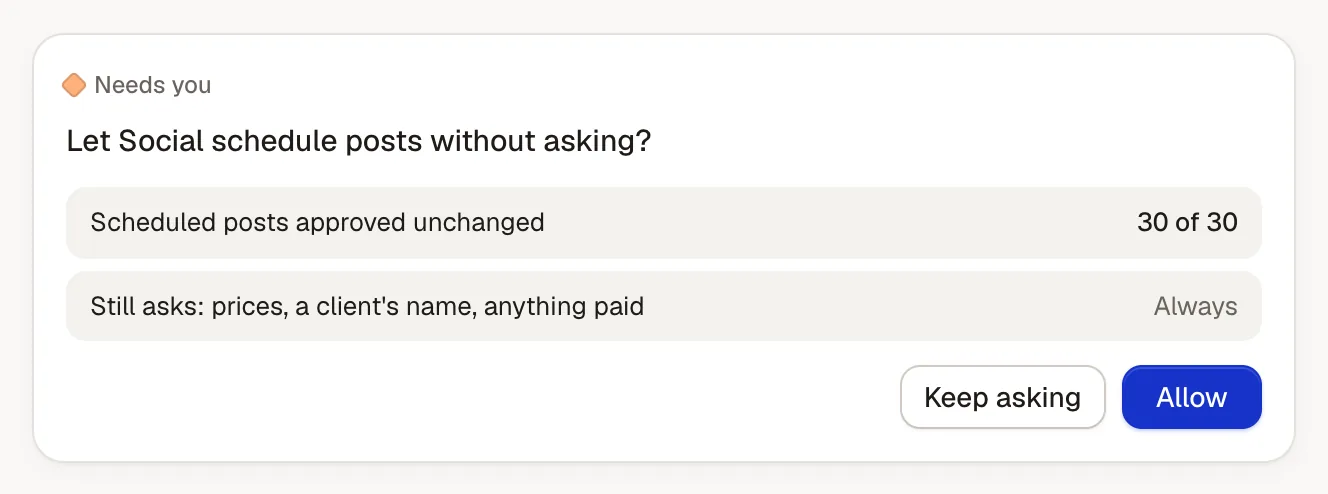
Choose Allow and it acts on its own from then on; you can take it back any time. Choose Keep asking and nothing changes. Things that always ask keep asking.
After a crew member acts on its own, a sample of what it did comes back to you to review, without holding anything up.
Trying it first
Section titled “Trying it first”Before a change goes live, Try on past cases shows what a crew member would do now next to what actually happened. It never acts during a try. See Crew members.