Teach a skill
Show the crew once how your company does something, and it becomes a skill any crew member can use.
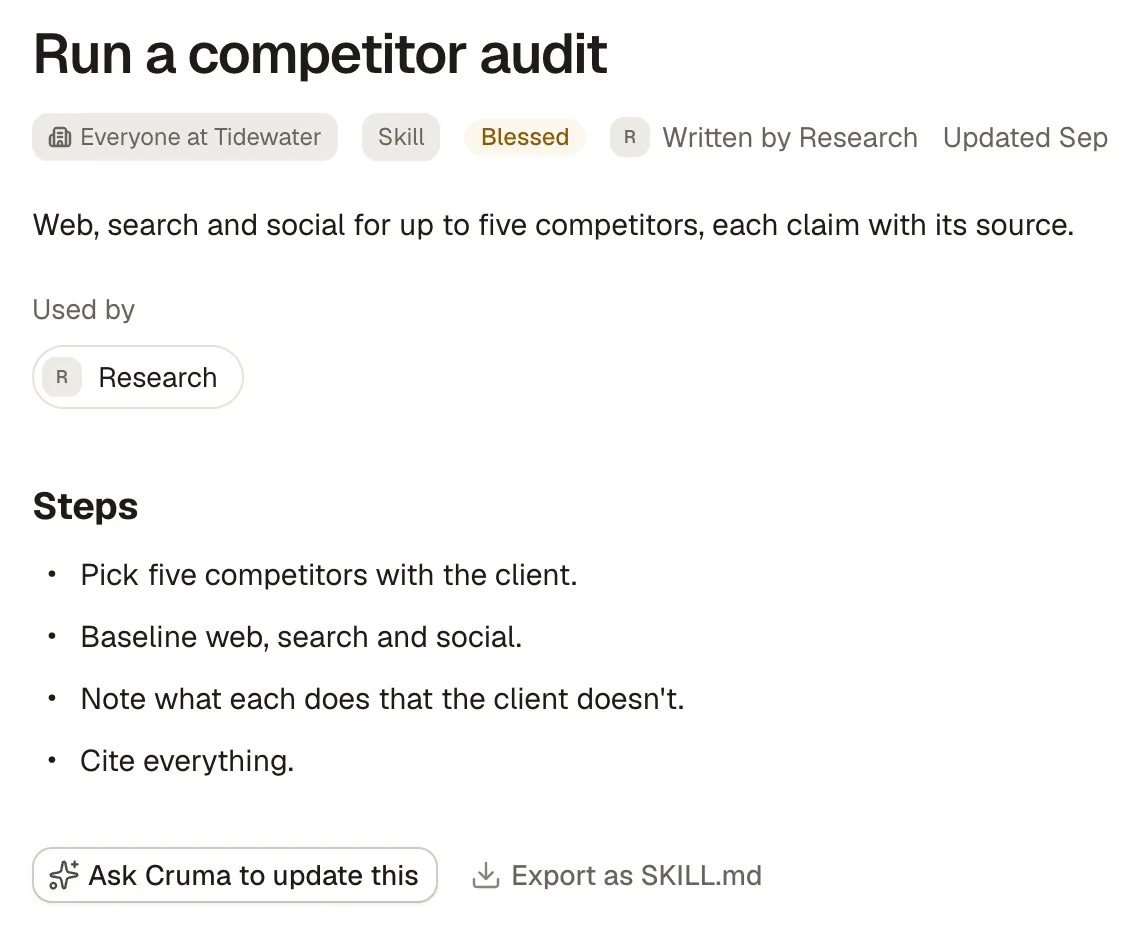
A skill is how your company does one thing, written as steps: “Run a competitor audit,” “Refunds, the way we do them.” A skill is a page in the Library, so your team can read it, and you pin it to the crew members who should use it.
Ways to teach one
Section titled “Ways to teach one”- Show it once. Point Cruma at a document or an example of good work, like a past audit or the emails where you handled a refund. Cruma works out the steps.
- Say it. Teach it in a chat, like you would a new hire. Rough is fine.
- Let the crew notice. When a crew member does the same kind of work well a few times, it drafts a skill from its own runs. The draft waits for you on its page: Accept, and that member uses it from then on, or Dismiss.
On a crew member’s page, the Teach tiles start any of these: Give it a skill (“Show it once how you do something”), Teach a workflow, Add a routine and Set what it may do.
A skill’s page
Section titled “A skill’s page”- Steps: what to do, in order, in plain words.
- Used by: the crew members it’s pinned to.
- Built from: the documents and examples it came from. If any of them change, Cruma flags the skill as out of date.
- Ask Cruma to update this asks Cruma to revise it.
- Export as SKILL.md downloads it as a file you can use elsewhere.
A skill a named person has approved as the way it’s done shows Blessed.
Pin a skill to a crew member
Section titled “Pin a skill to a crew member”On a crew member’s Setup tab, the Skills block lists the skills pinned to it. Choose + Add to pin another from the Library. The same skill can be pinned to several members.
A crew member doesn’t read every skill on every task. It always sees each pinned skill’s name and when to use it, and opens a skill’s steps when the task in front of it fits. A long playbook costs nothing until it’s needed.