Crew members
What a crew member is made of, how its setup changes, and how to see its work.
A crew member is an AI member of your workspace, with its own name, its own page and its own setup. It’s a member like a person: it has a role, what it may do, what it knows, and its work. Every crew member runs the same way underneath; what makes one different from another is its setup, built from blocks you can read and change. You never write code for it.
Your crew
Section titled “Your crew”A new workspace starts with Cruma, who leads. It’s the one you talk to. It works out what’s needed, hands pieces to the crew, and answers in one voice.
You add the rest from templates in Settings → Crew → Add crew member. Two of them:
- Research finds out what’s true, with a source for every fact.
- Social knows what works on each platform, and reads what people say about you and your competitors.
You can hire more by describing what you need in a sentence, like “I need someone who chases late invoices.” Cruma drafts the member, and it stays off until an owner turns it on. You can also connect agents you already use, like Claude Code or Codex. See Hire a crew member and Agents and the CLI.
The blocks of a setup
Section titled “The blocks of a setup”A crew member’s page opens on its Setup tab: “Change any block; nothing goes live until you turn it on.”
| Block | What it holds |
|---|---|
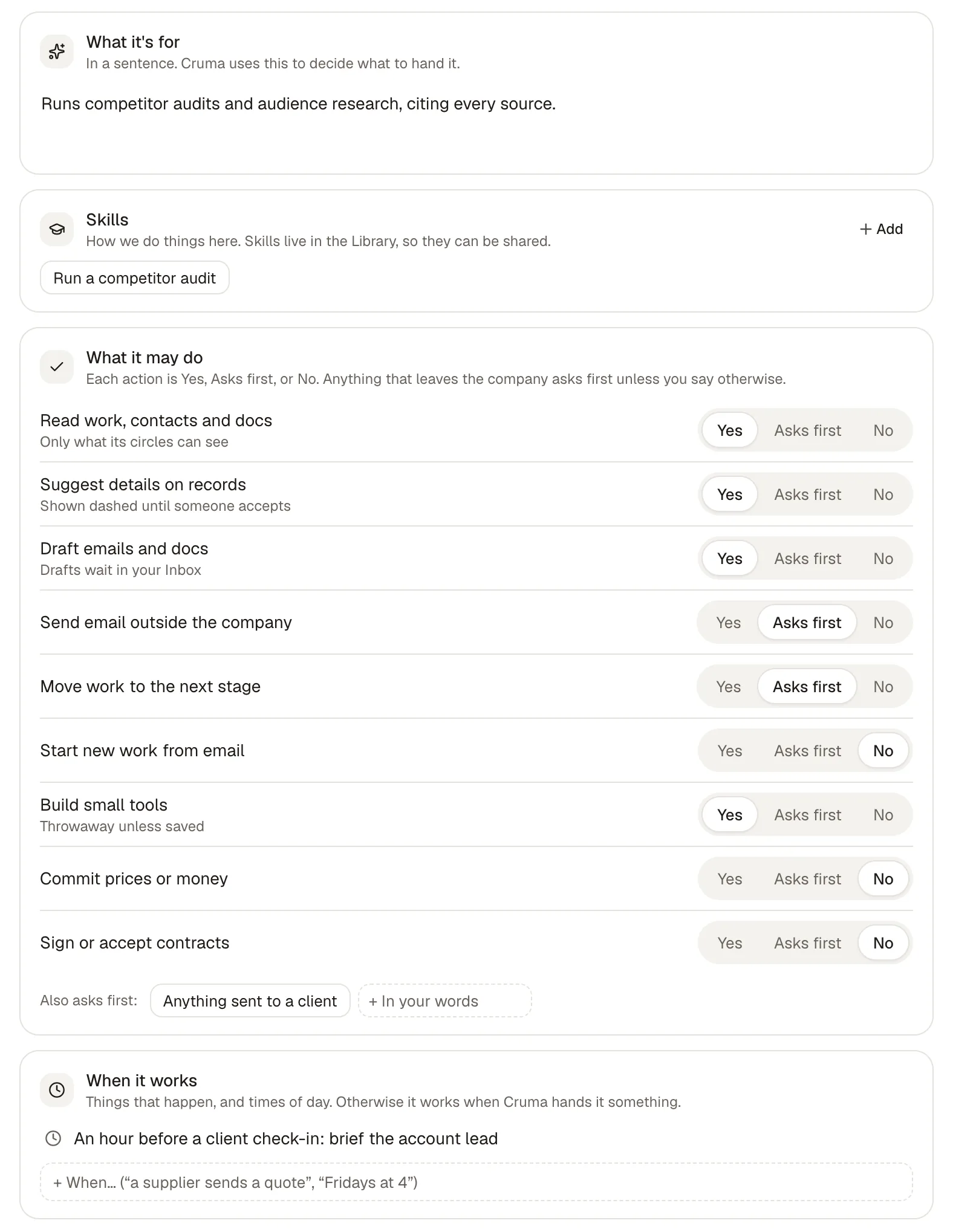
| What it’s for | In a sentence. Cruma uses this to decide what to hand it. |
| Who it is | Its character: what it believes, what it avoids. |
| Voice | How it sounds when it writes. |
| Rules | What it always or never does, in your words. |
| Skills | How we do things here: Library pages pinned to this member. It sees each skill’s name and when to use it, and opens the steps when a task fits. See Teach a skill. |
| What it may do | Each action is Yes, Asks first, or No, plus lines in your own words it also asks first about. See What the crew may do. |
| When it works | Things that happen, and times of day. Otherwise it works when Cruma hands it something. |
| Apps it uses | Which connected apps it may use, and how. See Connect your apps. |
| What it has learned | Facts from your corrections and files, each with where it came from. See Memory. |
| How hard it thinks | Fast, Balanced or Thorough. Thorough is slower and costs more runs; worth it for numbers and long documents. |
When it works
Section titled “When it works”A crew member works when Cruma hands it something. When it works adds the moments it starts on its own, written the way you’d say them:
- things that happen: “A supplier sends a quote,” “A review is two days late”
- times of day: “Mondays at 7:00: weekly listening brief,” “An hour before a client check-in: brief the account lead”
Changing a setup
Section titled “Changing a setup”Change any block and your edits collect as a draft, with a bar that says how many changes aren’t live yet. From there:
- Try on past cases replays real cases from your workspace and shows what it would do now next to what actually happened. Where they differ, Teach it the difference.
- Undo drops your changes.
- Turn on makes them live.
Every version stays on its page, newest first, with who drafted it and when. Copy setup copies the whole setup as text.
Its runs
Section titled “Its runs”The Runs tab lists each piece of work the member has done or is doing, with how far it got and when. The Chats tab lists the chats it’s in.

On, off and removed
Section titled “On, off and removed”Only an owner turns a crew member on or off, or removes it. When a crew member is removed or retrained, what it learned stays in the workspace, with its history, and another member can take it over.