Hire a crew member
Describe what you need in a sentence, review what Cruma drafts, and add it to your crew.
You don’t build a crew member. You say what you need done in a sentence, or start from a template, and Cruma drafts one from skills, actions and apps you already have. A new member stays off until an owner turns it on, and you can change every block before then.
Describe it
Section titled “Describe it”-
In the sidebar, open your Team place and choose Add to team, then A crew member.
-
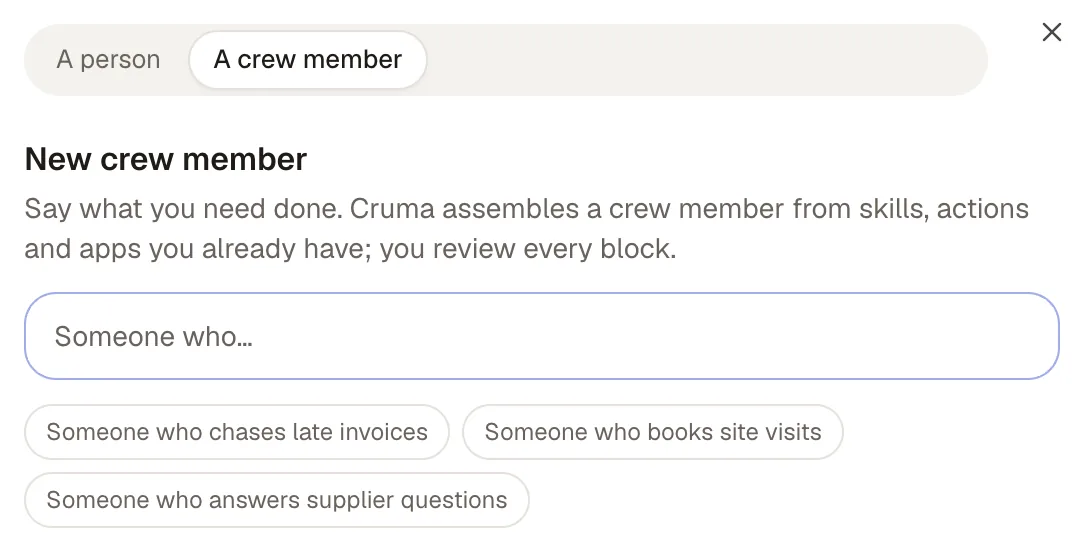
Say what you need, starting “Someone who…”. For example: “Someone who chases late invoices,” “Someone who books site visits,” or “Someone who answers supplier questions.”
-
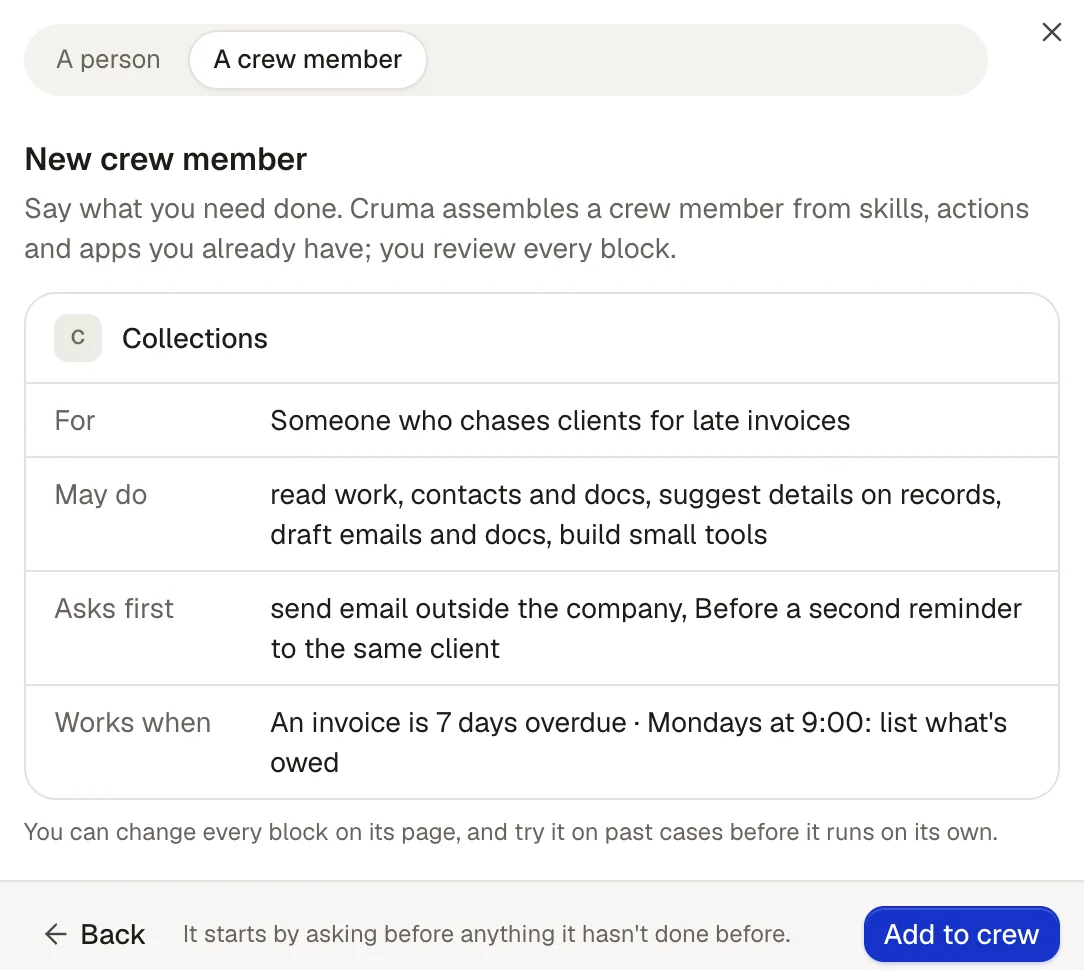
Cruma drafts the crew member and shows its blocks: its name, what it’s For, Who it is (what it believes about the work and what it avoids), its Voice, what it May do, what it Asks first, and when it Works.
-
Read each block. Choose Back to describe it again, or Add to crew. It joins your crew turned off.
You can also ask Cruma in any chat: “I need someone who chases late invoices.” Cruma drafts the member the same way, with its name, what it’s for, who it is and its voice, and says so in the chat. It stays off until an owner turns it on in Settings → Crew.
Start from a template
Section titled “Start from a template”A new workspace starts with Cruma only. Owners add crew from templates, such as Research and Social, in Settings → Crew → Add crew member: pick one, give it a name if you like, and choose Add to crew.
Make it yours
Section titled “Make it yours”Open the new crew member’s page to change any block: what it’s for, who it is, its voice, its skills, what it may do, when it works, the apps it uses, and how hard it thinks. Before it goes live you can Try on past cases, which shows what it would do on real past work next to what actually happened. See Crew members.
When it looks right, an owner chooses Turn on.
Copy a setup
Section titled “Copy a setup”Copy setup on a crew member’s page copies its whole setup as text, so you can start another from it.